The short answer
Make a copy of your resume for the application, open the Target job card at the top of the editor and paste the full job posting; AI reads out the title, company and key requirements. From then on Ask AI, bullet rewrites, skill suggestions and agent mode all tailor to that job. Use the job's own words for skills you really have, check your match in the Score panel, and never add what you have not done.
01Why tailoring works
Recruiters spend very little time on a first read, and applicant tracking systems rank applications partly on how well they match the posting. A general resume makes the reader do the work of connecting your experience to their job. A tailored one does it for them.
Tailoring does not mean rewriting your history. Your roles, dates and achievements stay the same. What changes is emphasis: which bullets come first, which words you use for the same skill, what your summary leads with, and which projects make the cut.
General version
- Managed vendor relationships and improved processes across the warehouse.
Tailored to a procurement role
- Renegotiated contracts with 14 suppliers, cutting inbound freight costs 11% while keeping on-time delivery above 97%.
02Step 1: Keep one copy per application
Before you tailor, decide where the tailored version will live. Keep a strong general resume as your base and make a copy for each role you apply to.
- 1
Copy your base resume
On your dashboard, click the copy button at the bottom right of the resume card (next to the delete button). A duplicate named after the original with (Copy) appears. If the original had a target job, the copy gets its own copy of that job too.
- 2
Or create a fresh one from your profile
Use the Create resume card, type the exact role as the target role, and choose From your profile. This is the better route when the new job needs different projects or roles from your base.
03Step 2: Add the target job
- 1
Open the Target job card
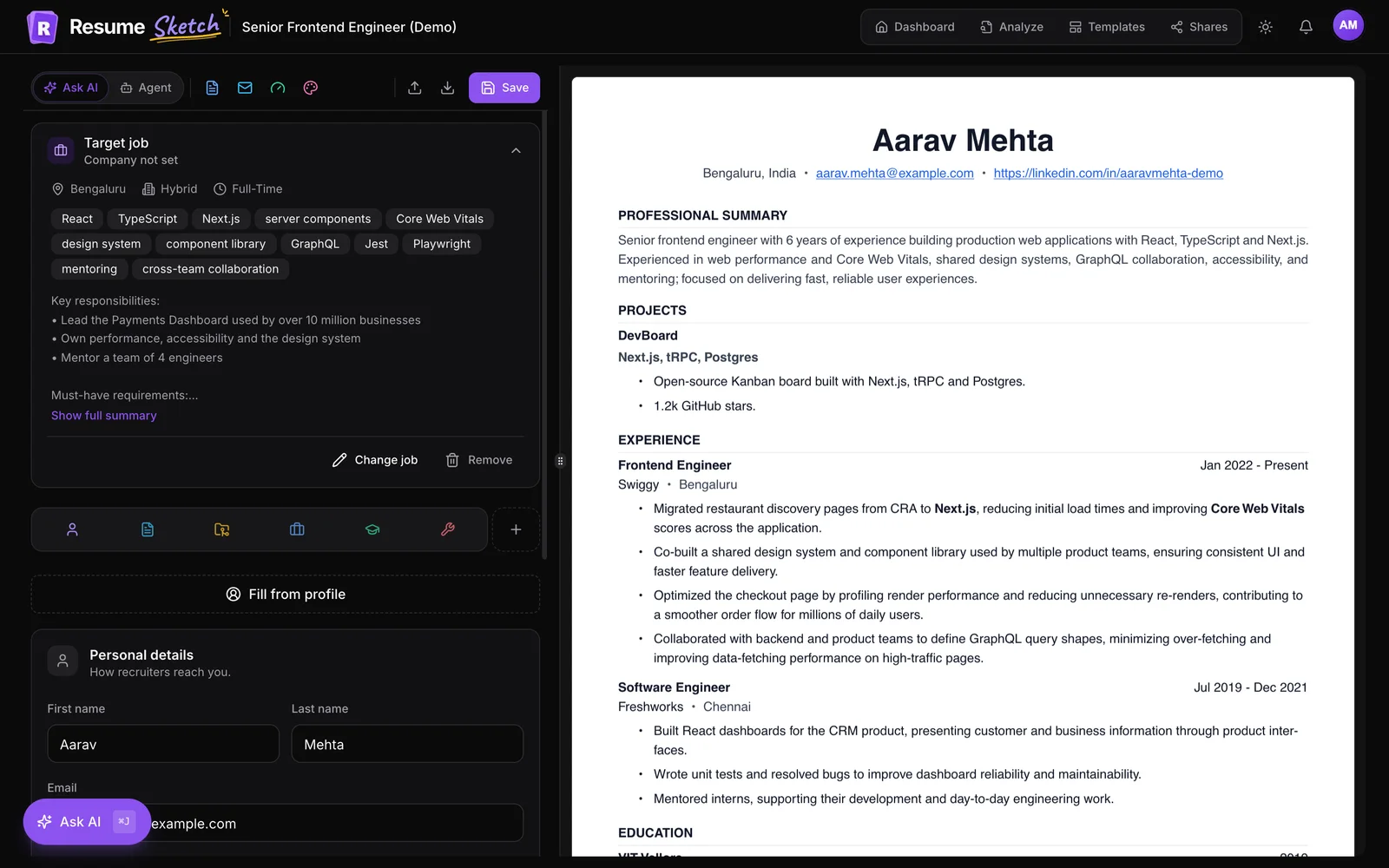
At the top of the editor, the Target job card reads Add one to tailor AI suggestions. Expand it and click Add target job.
- 2
Paste the full posting
Paste the whole job description, not just the title. Include the responsibilities and requirements sections; that is where the useful detail is.
- 3
Click Read with AI
AI picks out the job title, company, location, salary if listed, the key requirements and a summary. If you prefer, Enter details myself skips the AI step.
- 4
Check the details and save
On Check the job details, fix anything it got wrong and edit the Key requirements list. Then click Save target job.
The card now shows the job title, company and requirement tags. You can Change job or Remove it at any time. The job belongs to this resume, which is another reason to keep one copy per application.
04Step 3: Let AI tailor the content
With a job linked, the AI features all work toward it. Pick the tool that fits how much you want to change.
| Tool | Where | Use it to |
|---|---|---|
| Ask AI | ⌘J / Ctrl+J in the editor | Get a gap analysis, then targeted rewrites you approve one at a time. |
| Improve this point | Sparkle next to any bullet | Rewrite a single bullet with the “Match the job keywords” preset. |
| Summary | Improve, in the Summary tab | Refocus with the “Focus on the target role” preset. |
| Find missing skills | Skills tab | Suggest skills your experience backs up that the job asks for. |
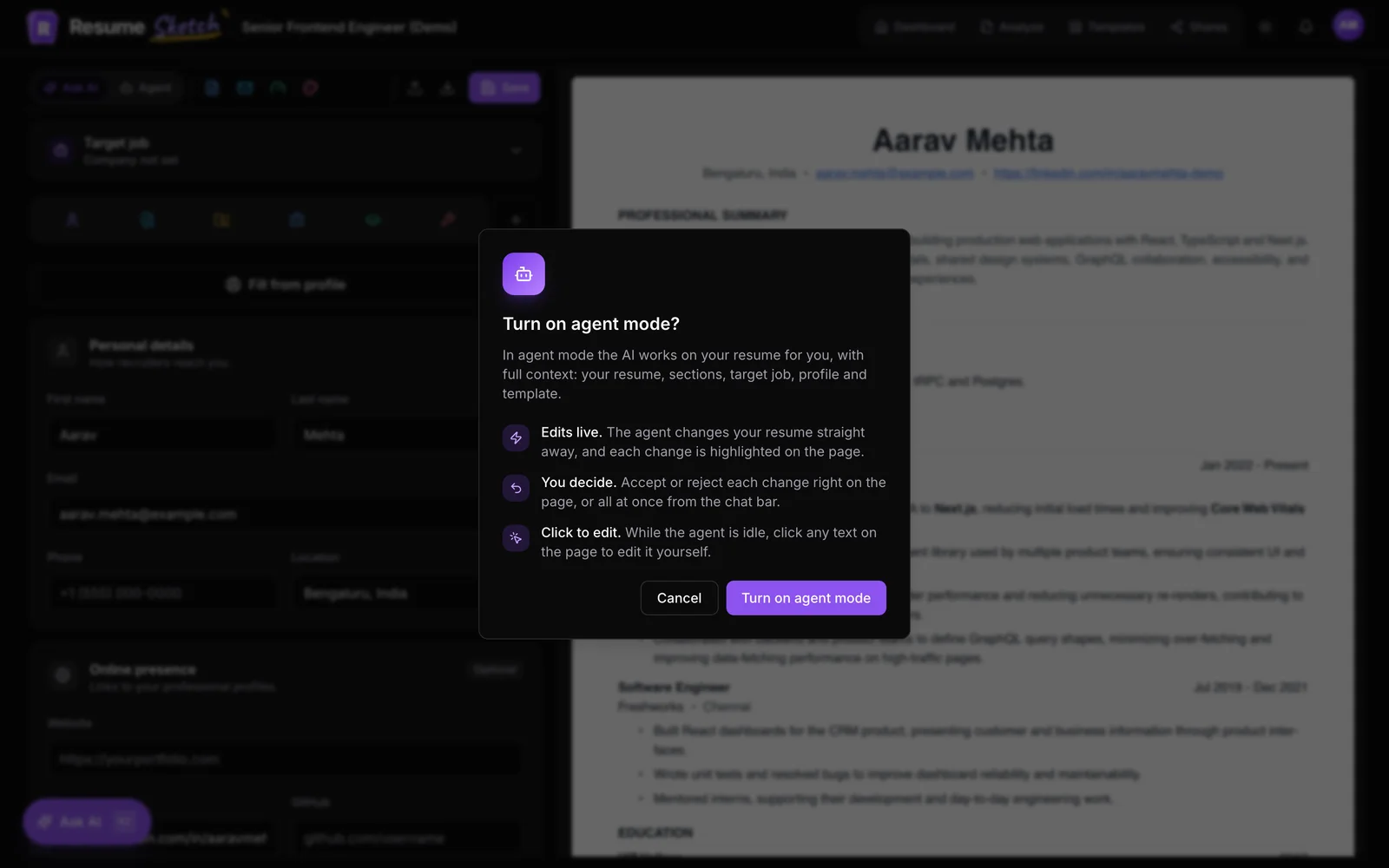
| Agent mode | Agent in the AI mode switch (Pro, Max) | Tailor the whole resume in one run, then review each change. |
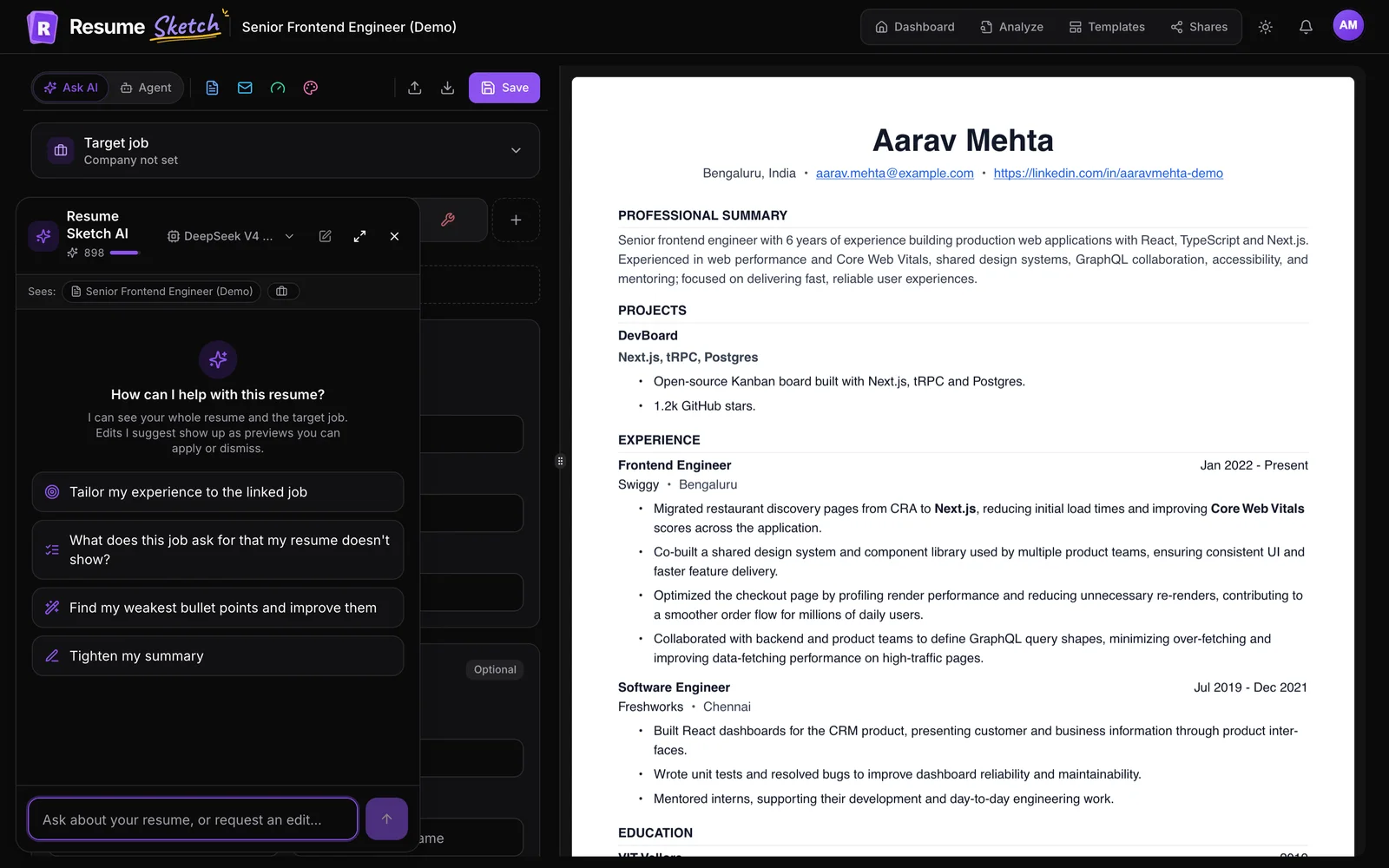
A good order: open Ask AI and ask What does this job ask for that my resume doesn't show? Read the gaps. Then fix your summary, then the bullets in your most recent role, then skills. On Pro or Max, agent mode can do the whole pass with a brief like "Tailor my whole resume to the linked job, keep it to one page, and do not add tools I have not listed."
05Keyword alignment without stuffing
Keywords matter because both software and people scan for them. But a skill only counts if the rest of the resume backs it up. These rules keep you on the right side of that line.
- Use their words for your skills. If you wrote "client retention" and the posting says "customer retention", use theirs. Same skill, matching language.
- Put keywords in context. "Built dashboards in Power BI for the finance team" beats a bare "Power BI" in a list.
- Spell out acronyms once. "Search engine optimisation (SEO)" covers both ways a recruiter might search.
- Mirror the job title where honest. If your title was "Analyst II" and the work matches "Data Analyst", put the role in your summary.
- Leave out what you have not done. No list of tools at the bottom to catch searches.
Stuffed
- Skills: Python, SQL, Tableau, Power BI, Looker, dbt, Airflow, Spark, Snowflake, machine learning, AI, big data
Aligned
- Wrote SQL and dbt models that cut the weekly revenue report from 6 hours to 20 minutes.
- Skills: SQL, dbt, Python (pandas), Tableau, Snowflake
06Step 4: Check your match
- 1
Open the Score panel
Click Score in the editor toolbar, then Score my resume.
- 2
Read the match section
With a target job, you see a Match for section listing what is Already covered and what is Missing: add only if you genuinely have them.
- 3
Fix and re-score
Each top fix has a Fix with AI button that hands it to Ask AI. After changes, click Re-score.
Before you send it, download the PDF and run it through the free ATS analyzer as a final check on how it parses.
07A 20-minute tailoring routine
- Copy your base resume (2 minutes).
- Add the target job and check the extracted requirements (3 minutes).
- Ask AI for the gap list and decide what is honestly missing (3 minutes).
- Rewrite the summary to lead with what this job wants most (3 minutes).
- Reorder and adjust bullets in your two most recent roles (6 minutes).
- Update skills, run the Score panel, download the PDF (3 minutes).
That is enough for most applications. Save deeper rewrites for the roles you want most.
08Common mistakes
- Pasting only the job title. The AI needs the requirements to tailor anything.
- Tailoring your only resume. Next week's application will inherit this week's job. Copy first.
- Accepting every suggested keyword. Missing means missing from the page, not missing from your life. Add only what is true.
- Changing facts to fit. Titles, dates and employers never change between versions.
- Forgetting the summary. It is the first thing read, and the easiest place to signal fit.
Frequently asked questions
How long should the job posting I paste be?
Paste the full posting, including responsibilities and requirements. There is a short minimum length, and more detail gives the AI more to work with.
Can I edit what the AI extracts from the job?
Yes. After Read with AI you see the job title, company, location, salary, key requirements and a summary, and you can change any of them before you save.
Does each resume have its own target job?
Yes. The target job is linked to one resume. Copying a resume also copies its job, and you can then change the job on the copy.
How many keywords should I add?
There is no magic number. Cover the requirements you genuinely meet, in the posting's wording, and show them in context in your bullets. Skip the rest.
Do I need agent mode to tailor a resume?
No. Ask AI, the bullet and summary tools and skill suggestions all use the target job on every plan. Agent mode (Pro and Max) just lets you do the whole pass in one run.